QuickBooks for Electrical Contractors: The Practical Setup Guide
Set up quickbooks for electrical contractors the right way and you get one number you almost certainly do not have today: what each job actually made you. Not revenue. Profit. After the copper, the labor, the truck rolls, and the subs.
Most electricians open QuickBooks, connect the bank, and stop. Now it is a fancy checkbook. Fine for taxes. Useless for running the business. So here is the fix. This guide walks through how to make quickbooks for electrical contractors do the heavy lifting: real job costing, faster invoices, cleaner cash flow. No second full-time job required.
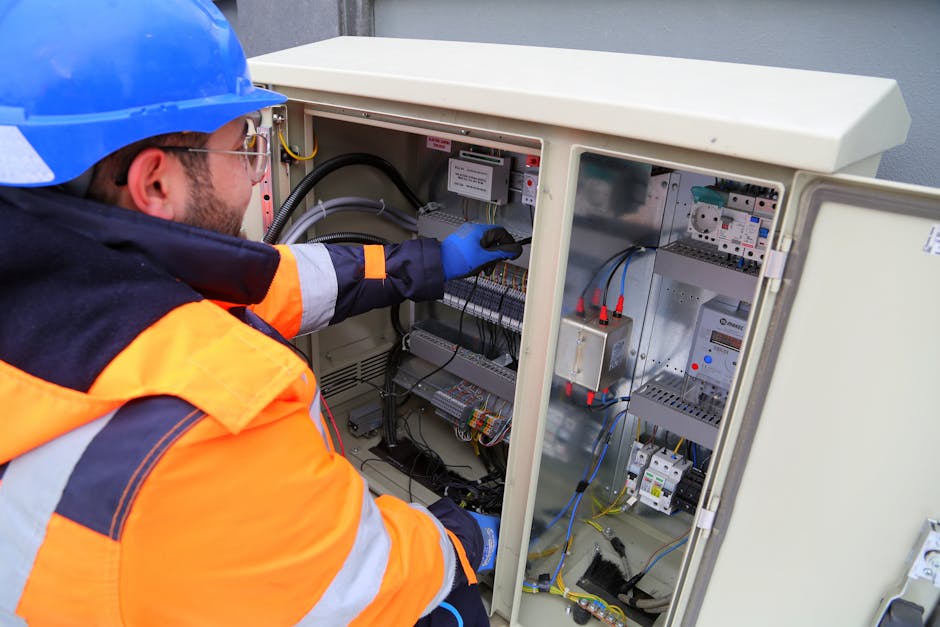
Why QuickBooks for electrical contractors is worth setting up properly
The payoff, up front. When quickbooks for electrical contractors is configured for job costing, you can look at a panel remodel or a service upgrade and know within a few dollars whether you made money or bled it. That one habit quietly rewrites how you bid the next one.
Think back over the last month. A rough-in that ran three days long. A service call where the material cost somehow doubled. A commercial job that felt busy and paid basically nothing. Without job-level tracking, all of it dissolves into a single bank balance and the lesson never lands. Track it by job and each one tells you the truth, whether you want to hear it or not.
That is the real reason electrical contractors bother with QuickBooks at all instead of a spreadsheet. Not the invoicing. The visibility.

While you are here, how do your reviews compare?
Type your business name and see where you rank against your competitors. Free, no signup.
Trophy Jar asks every customer for a review automatically, from $9 a month.Start now
Which QuickBooks version fits an electrical shop
You do not need the priciest tier. You need the one that tracks jobs. Two paths cover almost every electrical business.
QuickBooks Online Plus or Advanced. For residential service electricians and small commercial shops, this is usually the sweet spot. The Projects feature lets you assign income and expenses to each individual job, which is the entire point. Worth knowing: Projects only exists on Plus and Advanced, not the cheaper plans. If a version cannot cost by job, it is the wrong version for a contractor. Simple as that.
QuickBooks Enterprise or Premier Contractor Edition. For larger commercial and industrial outfits that live in change orders and work-in-progress reporting, the desktop Contractor Edition goes deeper. Job Profitability Summary, Estimates vs. Actuals, Cost-to-Complete by Job. If you carry crews across long projects, that reporting earns its keep fast.
Start where you actually are. A two-truck residential shop does not need Enterprise, full stop. But whatever you pick, confirm it does per-job costing before you hand over a card. That single line separates real contractor accounting from a glorified ledger.
Job costing: the part most electricians skip
This is where quickbooks for electrical contractors either earns its keep or wastes your evening. Job costing means every dollar gets tagged to the job it belongs to. Labor, materials, subs, permits, the fuel to get there.
Set it up like this. Turn on Projects (or Jobs in desktop). Make each real job its own project. Then code purchases as you go, not in a panic every April. Buy wire and breakers at the supply house, tag it to the job right there. A tech logs hours, those hours land on the job too.
Do that consistently and the profit report basically writes itself. You stop guessing which kind of work pays. Maybe your service calls quietly carry the whole business while the big commercial bids barely clear break-even. You cannot fix what you cannot see, and honestly, good electrical contractor accounting is mostly just seeing clearly.
The catch is discipline. Job costing only works if the coding happens in real time, every time. Which is exactly why the next piece matters as much as it does.
Invoicing and progress billing that keep cash moving
A finished job you have not invoiced is a loan you handed the customer for free. Set up quickbooks for electrical contractors to close that gap and it does.
For quick service work, cut the invoice the moment the job closes. Labor, materials, done. The faster it goes out, the faster you get paid, and invoicing that drags a week is invoicing that gets paid a month late. That is just how people are.
For longer jobs, use progress invoicing. Build the estimate first, then bill against it as the work advances. QuickBooks lets you invoice for a percentage of the total or for specific line items, so you are not fronting thousands in material on a two-month project. You bill as you build. One caveat worth naming: QuickBooks Online does not spit out true AIA G702/G703 forms on its own. If a general contractor demands that format, you will need a third-party add-on. For most residential and light commercial work, billing by percentage or by line item is exactly what you need anyway.
Add change orders as separate line items tied to the original estimate, so the extra work is documented and paid instead of quietly swallowed. That right there is the difference between a shop that is always cash-tight and one that sleeps at night.
Connect the tools so QuickBooks fills itself
The dream version of quickbooks for electrical contractors is the one you barely touch. Field data flows in, invoices flow out, the books stay current without a data-entry night sacrificed to it.
Field service platforms built for electricians push labor hours, materials, and completed-job details straight into QuickBooks. The invoice practically writes itself. Payment processors sync the deposits. Payroll feeds labor cost back to the right job. Every connection you add is one more thing you never key by hand, and one less mistake waiting for you at tax time.
The principle is not complicated. The best quickbooks for electrical contractors is the one you feed automatically. Every trigger already firing in your business (job done, invoice sent, payment cleared) is data that should move on its own. Wire it up and quickbooks for electrical contractors stops being a chore and starts being a dashboard.
Run other trades or a mixed crew? Same logic carries over to reviews for contractors and every other system you touch: automate the trigger, kill the busywork.
The bottom line on quickbooks for electrical contractors
If there is one thing to take away about quickbooks for electrical contractors, it is that consistency wins. The businesses that get the most out of quickbooks for electrical contractors are the ones that make it a steady habit rather than a one-off push, and let the results build on their own.
Reviews increasingly shape which businesses buyers and search engines trust. For context, see Google’s guidelines on reviews.
The one trigger your QuickBooks setup is wasting
Here is a connection most electricians walk right past. Every time QuickBooks marks an invoice paid, a customer has just had their best possible moment with you. The lights work. The panel passed. They are relieved, maybe a little grateful. And then nothing happens.
That paid-invoice moment is the single best time to ask for a review. Nail it consistently and reviews compound. More reviews push you up in Google and the local map pack, which sends more homeowners and property managers your way, who turn into more paid invoices, which turn into more reviews. That is the flywheel, and it spins on its own once the trigger is wired. More reviews, more inbound work. Full stop.
Trophy Jar is the tool that automates exactly that. It connects to QuickBooks and the platforms you already run, then auto-sends a review request the second an invoice is paid or a job is done. Smart follow-ups nudge the people who went quiet, your star ratings start showing up across Google, Bing, and AI assistants like ChatGPT and Claude, and the flywheel keeps turning while you are out on the next call.
Frequently Asked Questions
Which QuickBooks version is best for electrical contractors?
For most residential service electricians and small commercial shops, QuickBooks Online Plus or Advanced is the sweet spot, because the Projects feature tracks income and expenses per job. Note that Projects only comes with Plus and Advanced, not the lower plans. Larger commercial and industrial outfits that need deep work-in-progress reporting lean toward QuickBooks Enterprise or Premier Contractor Edition. The non-negotiable is per-job costing, so pick whichever tier actually gives you that.
Can QuickBooks handle progress billing on long electrical jobs?
Yes. Build an estimate first, then use progress invoicing to bill a percentage of the total or specific line items as the work advances, so you get paid as you build instead of fronting material for months. One caveat: QuickBooks Online does not generate true AIA G702/G703 forms on its own, so if a general contractor requires that exact format you will need a third-party add-on. For most residential and light commercial jobs, percentage or line-item billing is all you need.
How do I stop doing manual data entry in QuickBooks?
Connect the tools you already use. Field service software pushes labor hours and materials into QuickBooks, payment processors sync deposits, and payroll feeds labor cost back to each job. Every native integration removes a step you would otherwise key by hand, which also cuts the errors that surface at tax time.
Related reading
Keep going: see reviews for contractors.
Turn every paid invoice into your next 5-star review
Wire QuickBooks to Trophy Jar and auto-send a review request the moment an electrical job is paid. Smart follow-ups do the chasing, your star ratings show up in Google and AI search, and the review flywheel brings in the next customer. Start for $9/month.