How to Create a Xero Invoice That Gets You Paid Faster
The Xero invoice is the quiet workhorse of getting paid. Set it up properly once and it carries most of the load for you. You raise it, your customer pays online, and the money lands. No awkward phone call, no chasing. But a good invoice is more than a filled-in template. The layout, the reminders, the pay-now button: all of it decides how fast the cash actually turns up. Here is how to make yours cleaner, faster, and much better at closing the gap between finishing the work and seeing the money.

What a Xero invoice actually does for you
Think of a Xero invoice as the shortest route between finishing a job and getting paid for it. You raise it, Xero emails it, and your customer pays online straight from that email. No printing. No stamps. No waiting on a check that may or may not turn up.
The real payoff comes after you hit send. Xero tracks the status of everything you raise, so you can see at a glance what has been opened, what is overdue, and what has already cleared. That visibility is worth a lot. Instead of guessing who still owes you, you glance at the dashboard and the answer is sitting right there.
And because it all lives inside your accounting software, a paid invoice reconciles itself against your bank feed. Less admin at month end. Fewer numbers to hunt down when your accountant starts asking questions.
While you are here, how do your reviews compare?
Type your business name and see where you rank against your competitors. Free, no signup.
Trophy Jar asks every customer for a review automatically, from $9 a month.Start now
How to create a Xero invoice in a few clicks
Creating a Xero invoice starts on the dashboard. Open Invoices, click New Invoice, and start typing the customer’s name into the contact field. New customer? Add them on the spot, no need to leave the screen.
Set the issue date and the due date. Xero assigns an invoice number automatically, though you can override it if you run your own numbering. Add your line items, pick the right tax rate for each, done.
Now you get a choice. Save it as a draft to tidy up later, or approve it and email it to the customer with a PDF and an online payment link attached. You can even send it by email or SMS from your phone while you are still standing in the customer’s driveway. For a lot of tradespeople and consultants, that speed is the whole difference between getting paid this week and getting paid next month.
Xero invoice templates that look like you
In Xero, invoice templates live under branding themes. This is where a plain, forgettable bill turns into something that actually looks like your business.
Drop in your logo. Set your brand colors. Choose your fonts, and decide which fields show up, from your tax number to your payment terms and bank details. Most people start with the Standard template and edit from there. Ten minutes of work, and every invoice you send afterward carries your look.
Want more control? Advanced templates, called custom DOCX branding themes, let you edit the layout in Microsoft Word and upload it back into Xero. Useful if you need a custom receipt, an extra field, or a specific date format on every invoice. Xero lets you hold up to 15 of these advanced templates, so there is plenty of room.
You can also keep more than one Xero invoice template on file. One for your standard fourteen-day terms, one for deposits, one for the client who insists on net thirty. Pick the right one when you raise the invoice and the terms sort themselves out.
Get paid faster on every Xero invoice
Here is where Xero earns its keep. Turn on automatic reminders and it nudges late payers for you, politely and on schedule, so a forgotten invoice does not sit ignored in someone’s inbox for three weeks while you quietly stew about it.
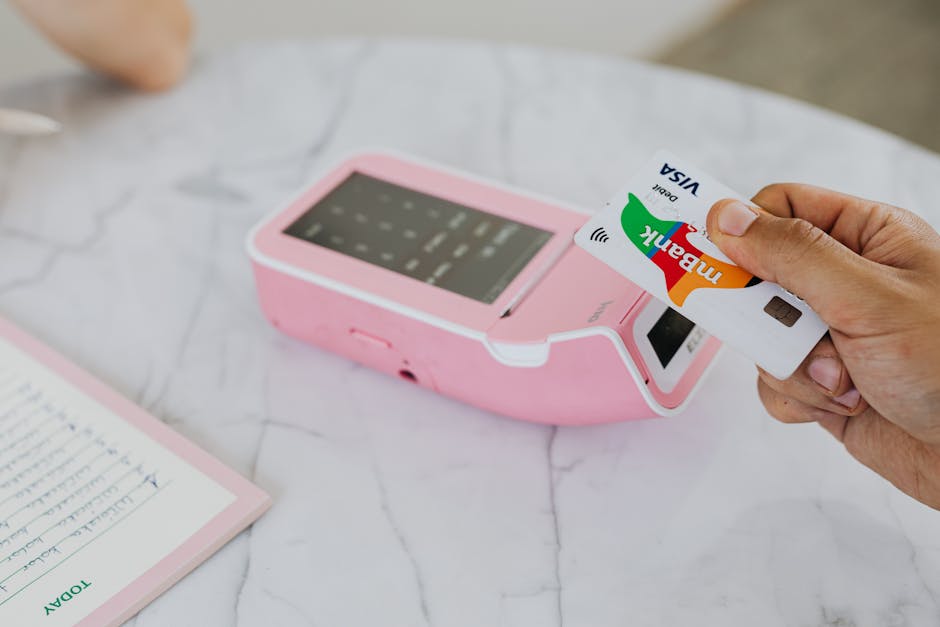
Then add online payments. Customers can settle a Xero invoice by card, or through gateways like PayPal and Stripe, in a couple of taps straight from the link. Already running card payments through Stripe? Connecting it keeps your payments and your books in one place instead of two systems you reconcile by hand.
The pattern is dead simple, and it holds every single time. The easier you make it to pay, the faster the money shows up. A clean invoice with a pay-now button beats a printed PDF and a bank-transfer request. Every time.
Where your Xero invoice fits into everything else
A Xero invoice is rarely the whole story. It sits inside a chain: the deal closes, the work happens, the invoice goes out, the payment clears. Each of those moments is a chance to do something useful on autopilot instead of by hand.
Most owners already automate the boring middle. Recurring invoices go out on a schedule. Reminders fire on their own. Payments reconcile against the bank feed. What almost nobody automates is the moment right after the money lands. And that is the most valuable moment of the lot.
Because when a customer has just paid without a single complaint, they are telling you they are happy. That is the exact instant to ask them to say so where it counts.
Reviews increasingly shape which businesses buyers and search engines trust. For context, see Google’s guidelines on reviews.
The moment a Xero invoice gets paid is the moment to ask for a review
A paid invoice is the strongest signal you will ever get that a customer is satisfied. The work is done, the money has cleared, everyone is on good terms. That window does not stay open long, so timing matters more than you think.
It is also your best shot at catching a problem before it turns into a dispute or a chargeback. A quick review request right after payment gives a frustrated customer a private place to tell you what went wrong, instead of reaching for the dispute button at their bank. You hear about it on your terms, while there is still time to fix it. The happy majority, meanwhile, leave you a public five-star review that helps win the next customer.
That is exactly what Trophy Jar automates. Connect it to Xero, and every time an invoice is marked paid, Trophy Jar handles the automated review collection for you. No spreadsheet, no sticky note, no missed moment. The cashflow event you already have quietly becomes a steady stream of reviews.
Frequently Asked Questions
Can I customize the look of a Xero invoice?
Yes. In Xero, invoice templates are called branding themes. You can add your logo, brand colors, and fonts, and choose which fields appear, like your tax number and payment terms. Start with the Standard template, or use an advanced custom DOCX template edited in Word for full control over the layout.
How do customers pay a Xero invoice online?
Connect a payment gateway such as Stripe or PayPal and every Xero invoice you send includes an online payment link. Customers click it, pay by card in a couple of taps, and the payment reconciles against your accounts automatically. Adding a pay-now option is one of the simplest ways to get paid faster.
How do I automatically ask for a review after a Xero invoice is paid?
Connect Trophy Jar to Xero. When an invoice is marked as paid, Trophy Jar sends a review request to that customer, with up to three smart follow-ups to anyone who has not responded yet. It turns a moment you already have into a five-star review, with no manual work on your side.
Related reading
Keep going: see automated review collection, Xero review automation.
Turn every paid Xero invoice into a five-star review
Connect Trophy Jar to Xero and let a review request go out the moment an invoice is marked paid, so you catch problems early and stack up public reviews. Start for $9/month.