QuickBooks Invoicing Software: What You Actually Get
QuickBooks invoicing software takes the worst part of running a business, chasing money you already earned, and mostly handles it for you. You finish the job. You send the invoice in a couple of clicks. The customer pays online, and the money lands in your books without you retyping a single figure.
That is the sales pitch. Reality is a bit messier, and worth knowing before you build your whole billing routine around it. So here is what the tool really does, what it costs right now, and the one gap it quietly leaves wide open.
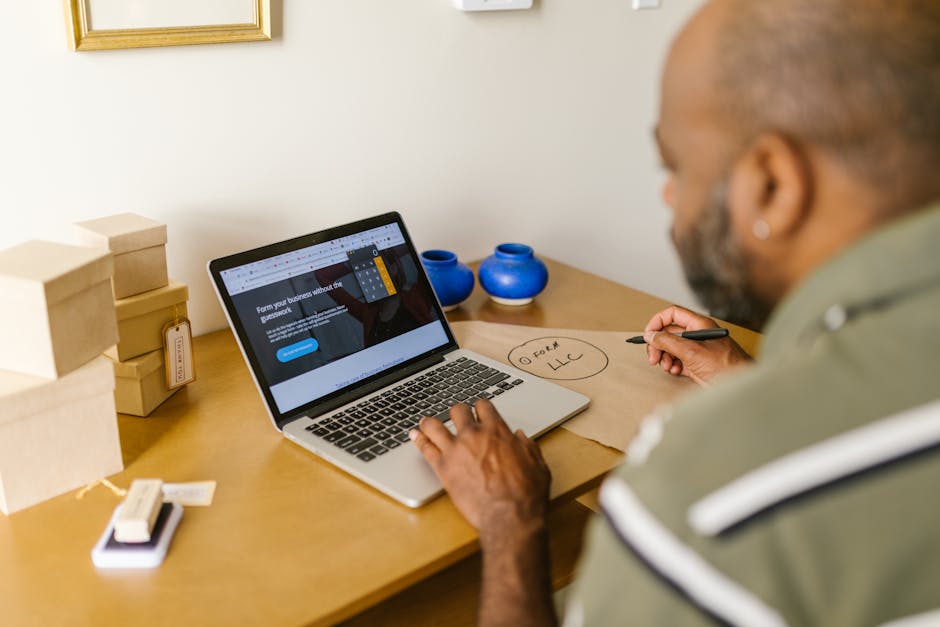
What QuickBooks invoicing software actually does for you
Cut through the marketing and QuickBooks invoicing software does three things, and does them well. It builds a clean, professional invoice fast. It puts that invoice in front of your customer by email or text. And it tells you the second they open it, then again the second they pay.
You start from a template. Drop in your logo and brand colors, add your line items and sales tax, hit send. Minutes, not the half hour you used to burn wrestling with a Word doc. Each invoice can carry the products and services you delivered, the tax, even a tip option if that fits your business.
The underrated part is visibility. Once the invoice is out the door, you can see when it was viewed and get a ping when it is paid. No more staring at your inbox wondering if the thing got buried under someone’s spam. Honestly, that one feature is why plenty of small businesses hang onto QuickBooks invoicing software long after they have outgrown the rest of the suite.

While you are here, how do your reviews compare?
Type your business name and see where you rank against your competitors. Free, no signup.
Trophy Jar asks every customer for a review automatically, from $9 a month.Start now
Get paid faster with online payments and reminders
The entire point of QuickBooks invoicing software is cash in your account sooner. Customers can pay the moment they open the invoice, and QuickBooks claims that gets you paid up to four times faster than mailing paper. They can pay by card, ACH bank transfer, Apple Pay, PayPal, or Venmo, and every payment reconciles inside QuickBooks on its own.
Then there are the reminders, which are quietly the best thing in the whole feature set. Switch on automatic invoice reminders and they fire a set number of days before or after the due date. Schedule them up to 90 days out. Add a second and a third for the customers who go quiet on you. Each reminder gets its own email template, so the friendly nudge and the firm follow-up do not sound identical.
If you have ever lost a Friday afternoon writing awkward “just circling back” emails, you get why this matters. The software does the chasing, so you never have to play the heavy.
Recurring invoices, progress billing, and the plan you need
Two features pull QuickBooks invoicing software ahead of a plain invoice generator. Recurring invoices auto-send the same bill every day, week, month, or year, which is ideal for retainers and subscriptions. Set it once, walk away.
Progress invoicing is the other. Run projects, and you can split a single estimate into several invoices tied to milestones, stages, or the percentage of work done. Bill the deposit, then the halfway mark, then the balance. Heads up: the full progress invoicing setup lives on the Plus plan or higher, so if project billing is your world, budget for a bigger tier.
On plans, here is the 2026 lineup: Solopreneur is $20 a month, Simple Start $38, Essentials $75, Plus $115, and Advanced $275. Intuit raised prices on Essentials, Plus, and Advanced starting August 2026, though new subscribers keep the lower rate for their first six months before the increase kicks in. If invoicing is really all you need, Simple Start covers the basics and Plus gets you progress billing.
The gap in QuickBooks invoicing software nobody mentions
QuickBooks invoicing software is great at getting you paid. It does almost nothing to grow your reputation. And those two things are far more connected than they look.
Picture the moment an invoice gets paid. That is the single happiest a customer will ever be with you. The work is done, they are pleased enough to hand over money, your name is right at the front of their mind. It is the best possible moment to ask for a review. QuickBooks invoicing software just lets it slide by. The payment clears, the reminder loop shuts off, and nobody ever asks the customer to say something nice where other people can see it.
Now multiply that by every invoice you send in a year. That is a mountain of goodwill that never becomes a Google review, a testimonial, or a warm word that helps you win the next job. The billing system caught the cash. The reputation upside just evaporated.
The bottom line on quickbooks invoicing software
If there is one thing to take away about quickbooks invoicing software, it is that consistency wins. The businesses that get the most out of quickbooks invoicing software are the ones that make it a steady habit rather than a one-off push, and let the results build on their own.
Reviews increasingly shape which businesses buyers and search engines trust. For context, see Google’s guidelines on reviews.
Automate reviews right alongside your invoicing
Here is the operations truth most owners miss: collecting reviews is just another system that can run on autopilot, exactly like your invoicing already does. You automated the billing. You automated the reminders. Review collection is the same kind of repeatable, trigger-based task, and it should not depend on anyone remembering to do it.
The trigger is already sitting in your books. An invoice gets marked paid. That one event, the high point of the entire customer relationship, can kick off a review request on its own. No spreadsheet, no sticky note, no \”I’ll email them later\” that never actually happens. It drops into your workflow the same way a recurring invoice does. Set it up once, and it runs on every job after that.
That is exactly what Trophy Jar does. It connects to the tools you already use, watches for the payment-made trigger, and sends a review request the moment an invoice clears. Smart follow-ups nudge the folks who have not reviewed yet. Five-star reviews get pushed to Google and your directories, while anything critical quietly alerts you first so you can fix it in private. You built the invoicing machine. Trophy Jar bolts the reputation machine right onto it.
Frequently Asked Questions
Does QuickBooks invoicing software send automatic payment reminders?
Yes. Switch on automatic invoice reminders and they go out a set number of days before or after the due date. You can schedule them up to 90 days out and add second and third reminders for customers who still have not paid. Each reminder can use its own email template.
How much does QuickBooks invoicing software cost in 2026?
As of 2026, plans run $20 a month for Solopreneur, $38 for Simple Start, $75 for Essentials, $115 for Plus, and $275 for Advanced. Recurring invoices come on the lower tiers, but the full progress invoicing setup for project milestones needs the Plus plan or higher.
Can QuickBooks invoicing software collect customer reviews?
No. QuickBooks handles billing, payments, and reminders, but it does not ask customers for reviews. A tool like Trophy Jar fills that gap by connecting to QuickBooks and auto-sending a review request the moment an invoice is paid.
Related reading
Keep going: see automated review collection.
Turn every paid invoice into a 5-star review
Your QuickBooks invoices already tell you the exact moment a customer is happiest. Let Trophy Jar catch it and ask for the review automatically. Start for $9/month.