How to Connect Paddle with Trophy Jar
Automate Review Collection for Your Paddle Customers
Connecting Paddle with Trophy Jar helps in automatically triggering review requests after purchases, renewals, and subscription events.
Step 1: Create a Paddle API Key
In your Paddle dashboard, navigate to Developer → Authentication → New API Key. Generate a new API key and copy it
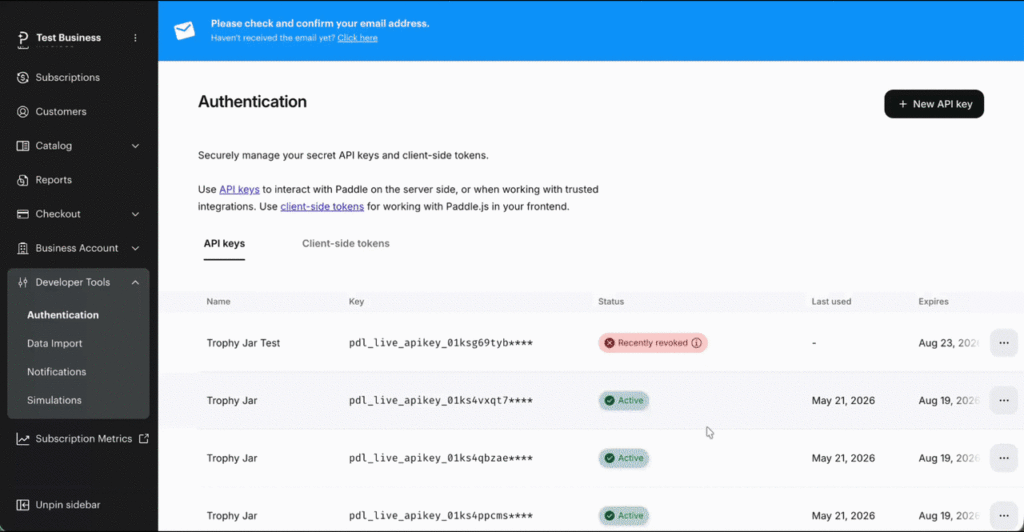
Step 2: Enable the Required Permissions
Make sure your API key includes these permissions:
- Notification Settings: Read + Write
- Customer: Read
- Subscription: Read
- Transaction: Read
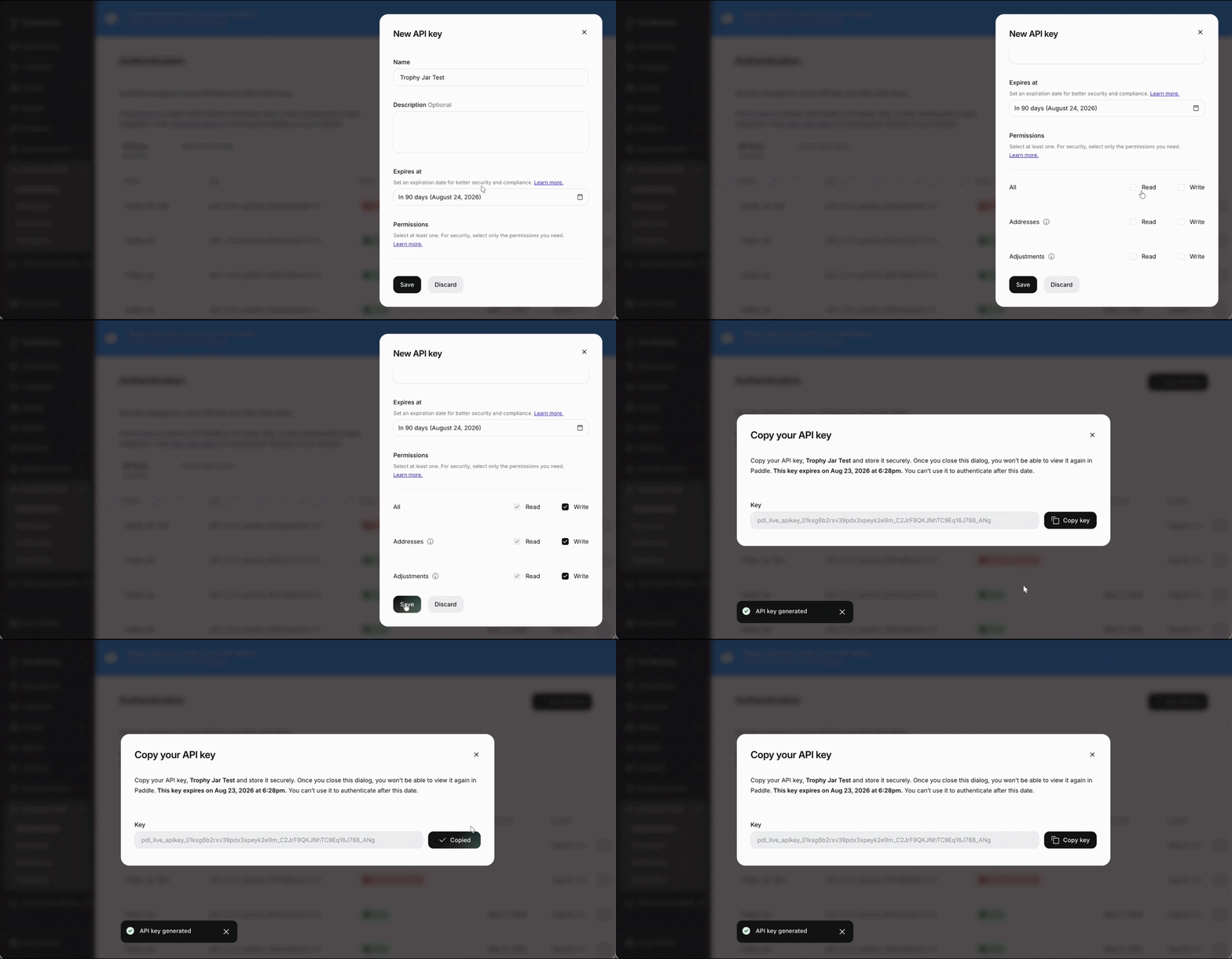
Step 3: Connect Paddle to Trophy Jar
Paste your Paddle API key into the Paddle integration settings inside Trophy Jar. Click Save & Connect.
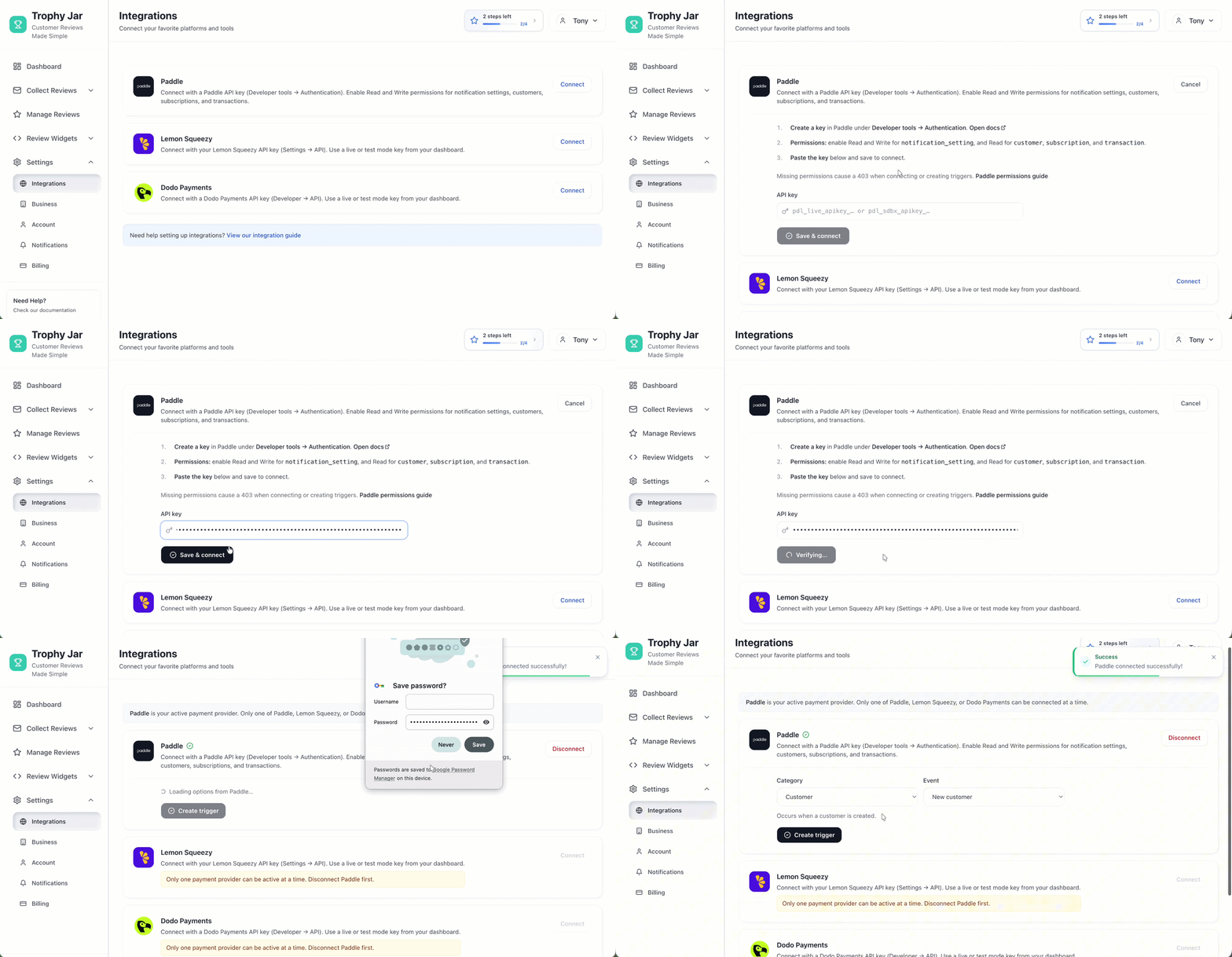
Step 4: Configure Your Automation
Set up your review workflow by customizing the Category and Trigger fields. Once configured, click Create Notification.
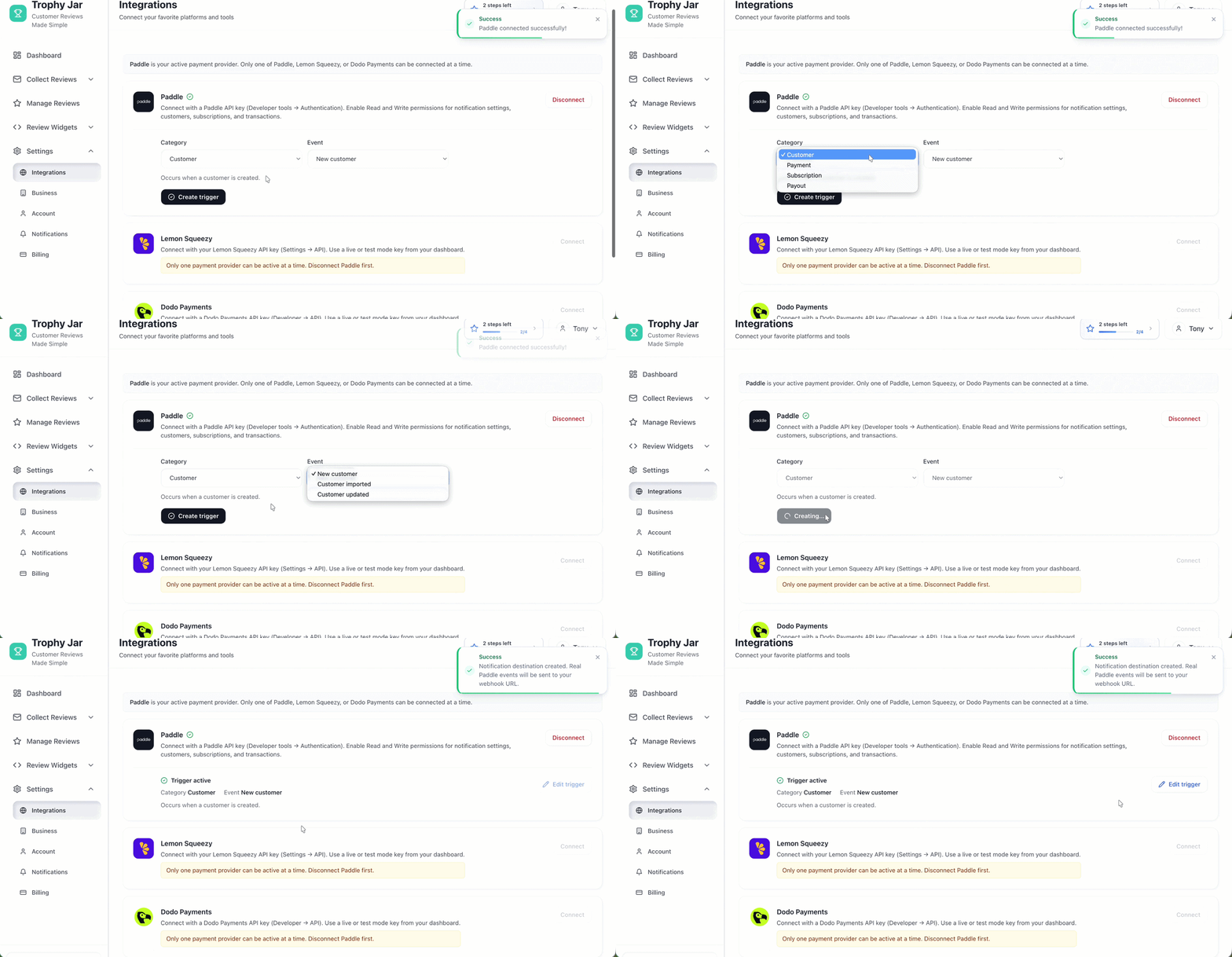
Step 5: Verify Your Setup
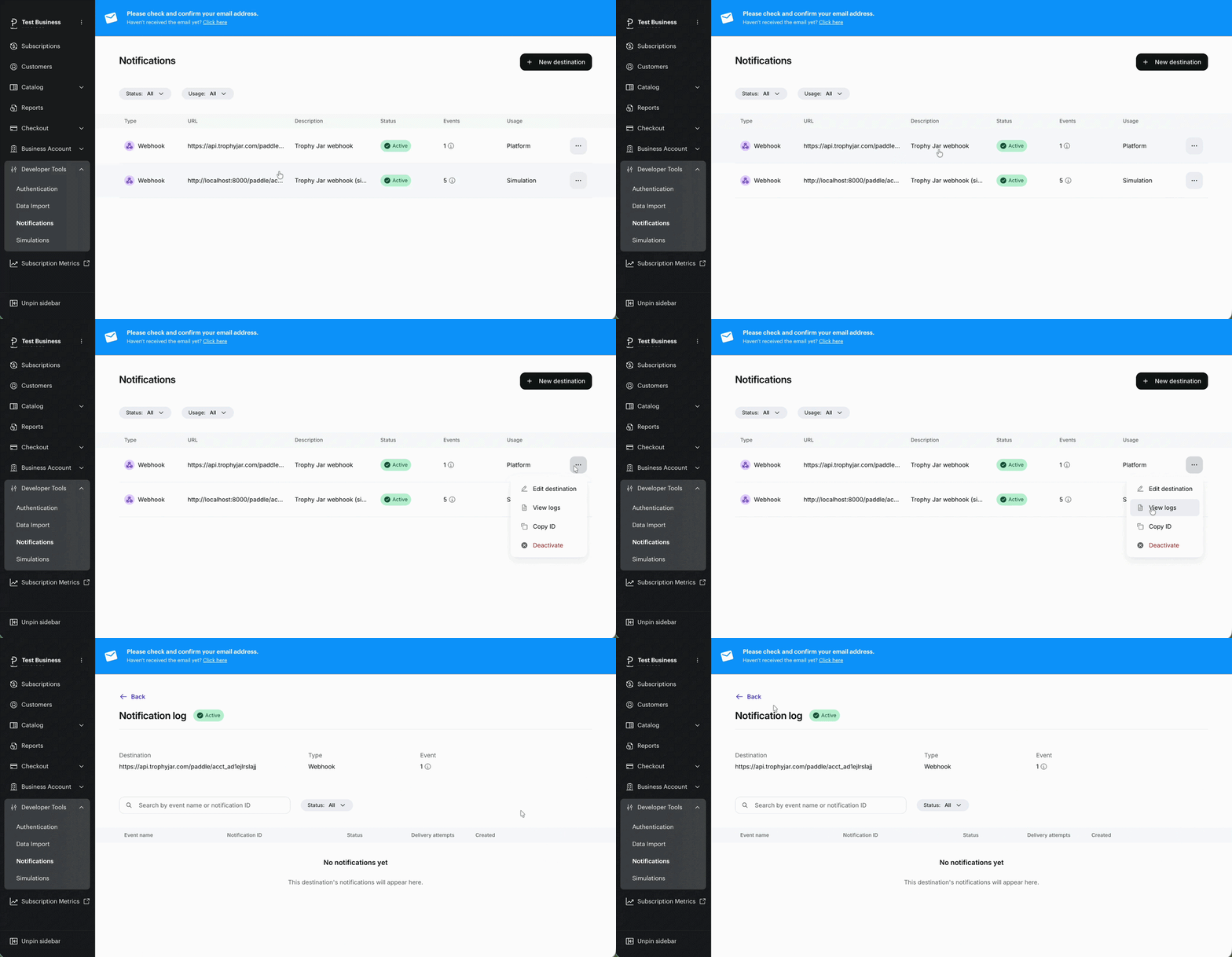
Return to your Paddle dashboard and go to Developer → Notifications. You should see your Trophy Jar notification listed as active.
While you are here, how do your reviews compare?
Type your business name and see where you rank against your competitors. Free, no signup.
Trophy Jar asks every customer for a review automatically, from $9 a month.Start now
Start Collecting Reviews Automatically
That’s it. Once connected, Trophy Jar automatically sends review requests after qualifying Paddle events, helping you turn customer transactions into consistent social proof.
Keep going: see get more reviews on autopilot.