How to Connect Lemon Squeezy with Trophy Jar
Turn Lemon Squeezy Customers Into Reviews
Connecting Lemon Squeezy with Trophy Jar lets you automatically collect customer reviews after successful transactions.
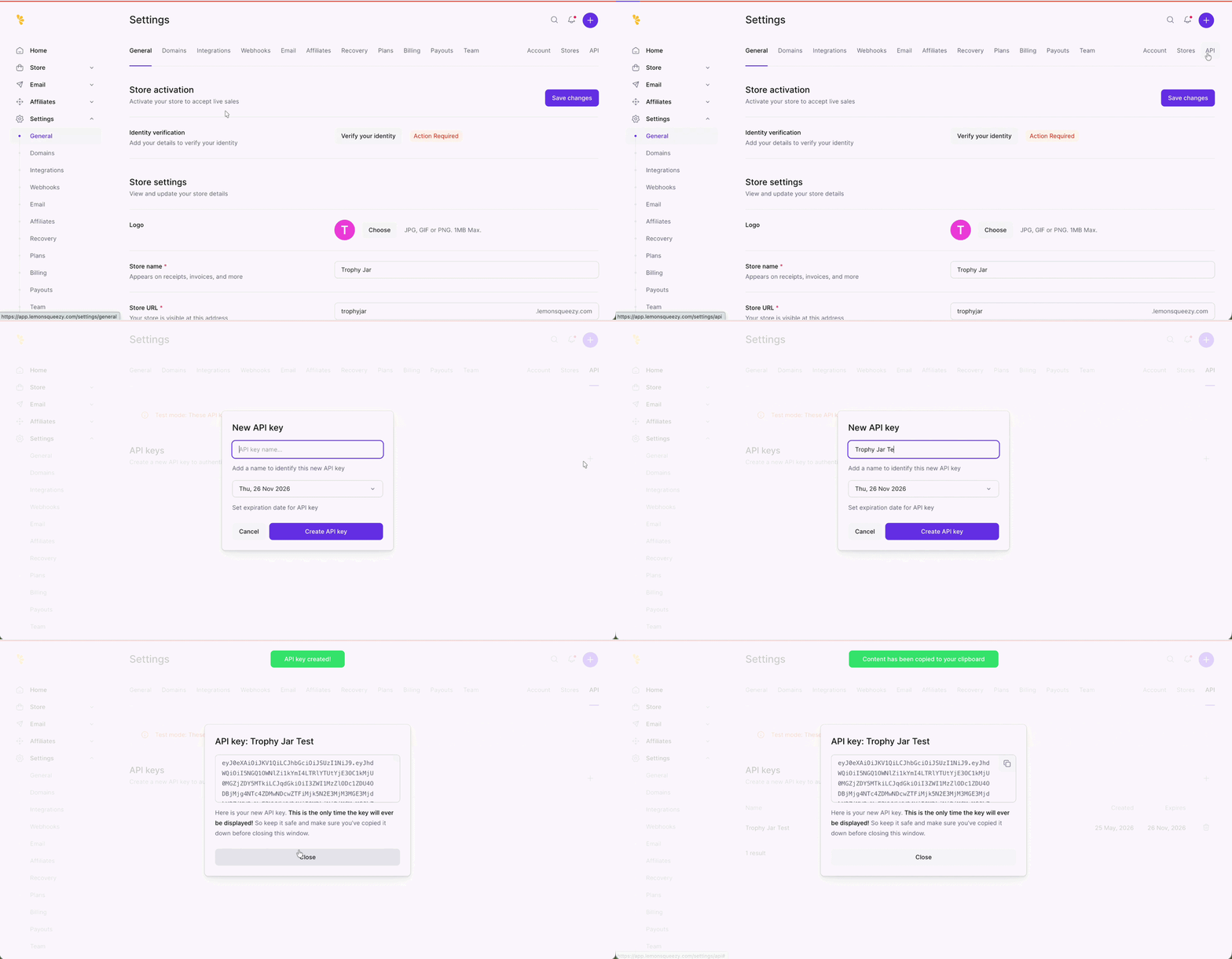
Step 1: Create a Lemon Squeezy API Key
In your Lemon Squeezy dashboard, go Settings → API. Create a new API key and copy it immediately.
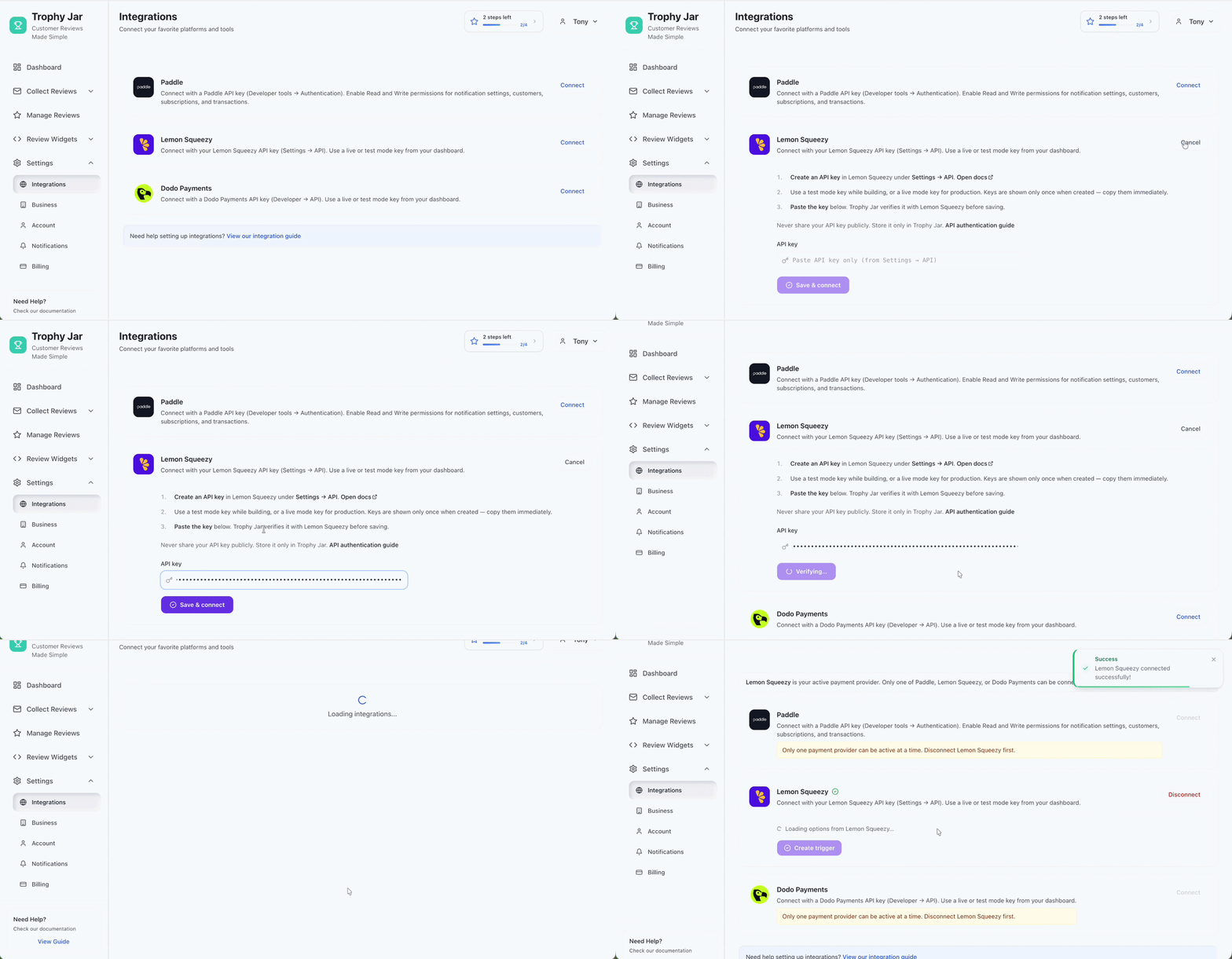
Step 2: Connect Lemon Squeezy to Trophy Jar
Inside Trophy Jar, navigate to Settings → Integrations → Lemon Squeezy. Paste your API key and click Save & Connect.
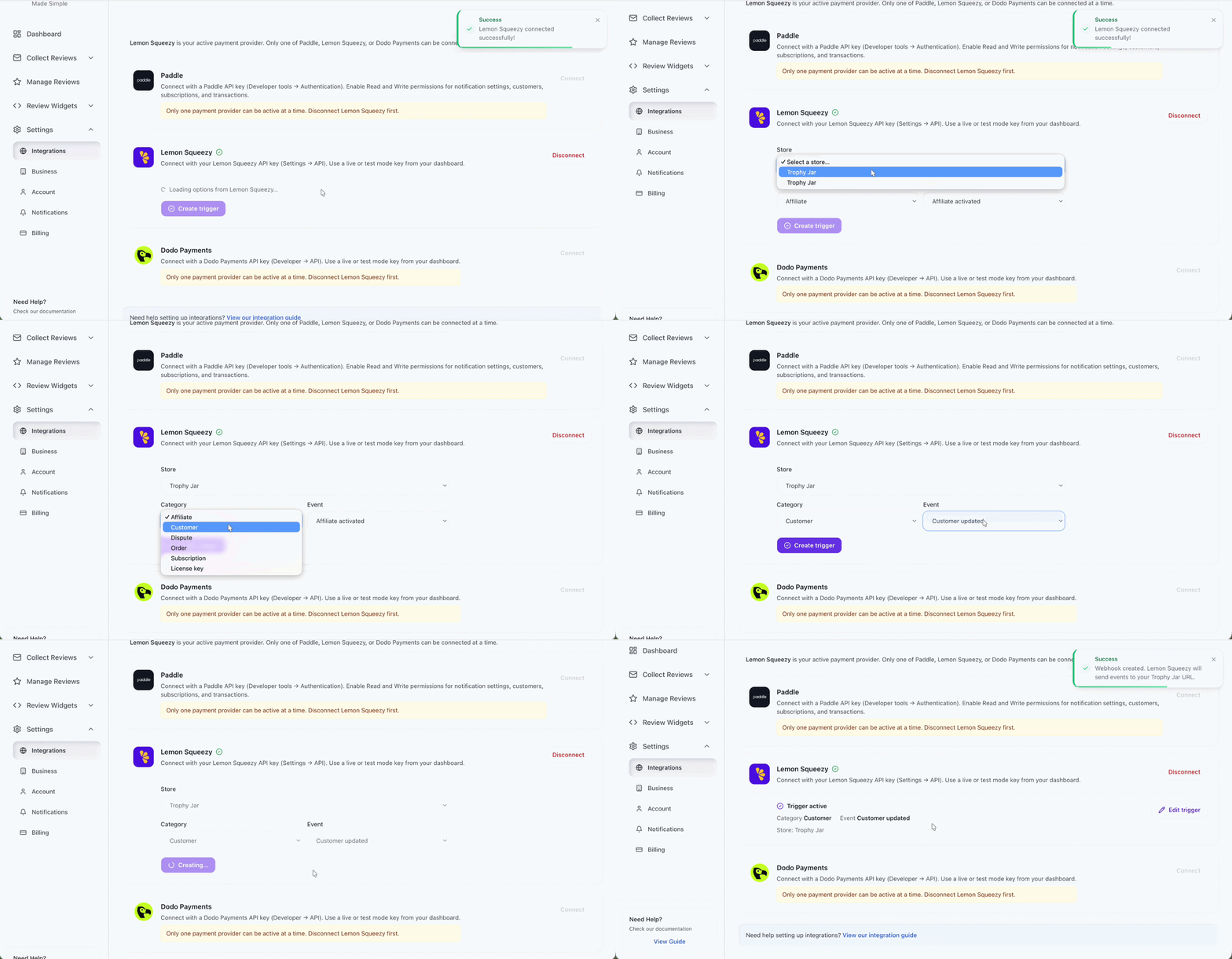
Step 3: Configure Your Review Automation
Once connected, define how automation should run by setting the Store, Category, and Trigger Event fields. Then click Create. This determines which Lemon Squeezy actions will trigger review requests in Trophy Jar.
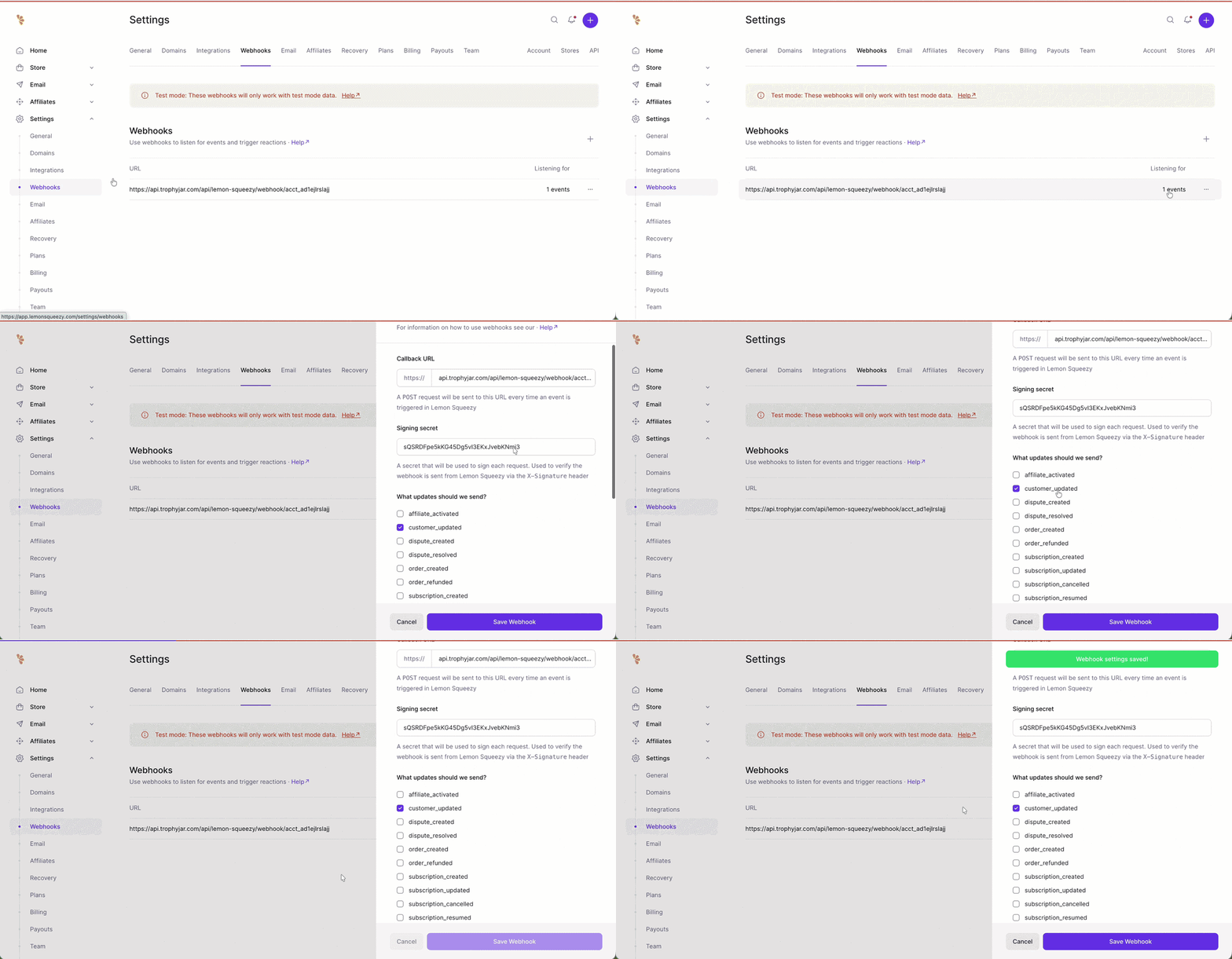
Step 4: Confirm Webhook Activation
In Lemon Squeezy, go to Settings → Webhooks. Check that Trophy Jar appears as an active webhook connection.
While you are here, how do your reviews compare?
Type your business name and see where you rank against your competitors. Free, no signup.
Trophy Jar asks every customer for a review automatically, from $9 a month.Start now
Start Collecting Reviews Automatically
Once connected, Trophy Jar automatically turns Lemon Squeezy transactions into review requests helping you consistently build social proof without manual effort.
Keep going: see get more reviews on autopilot.