How to Connect Dodo Payments to Trophy Jar
Most review request emails never get sent. Not because anyone decided against it. It’s just because the moment passed, things got busy, and nobody followed up. Trophy Jar closes that gap by connecting directly to Dodo Payments and sending the right email automatically when a payment event happens.
Here’s how to get it connected.
What it actually does
When a customer completes a payment or hits a billing milestone in Dodo Payments, Trophy Jar picks up that event and sends a review request automatically. You define when it fires. Trophy Jar handles the rest. Nothing sits in a queue waiting for someone to action it.
Getting your API key
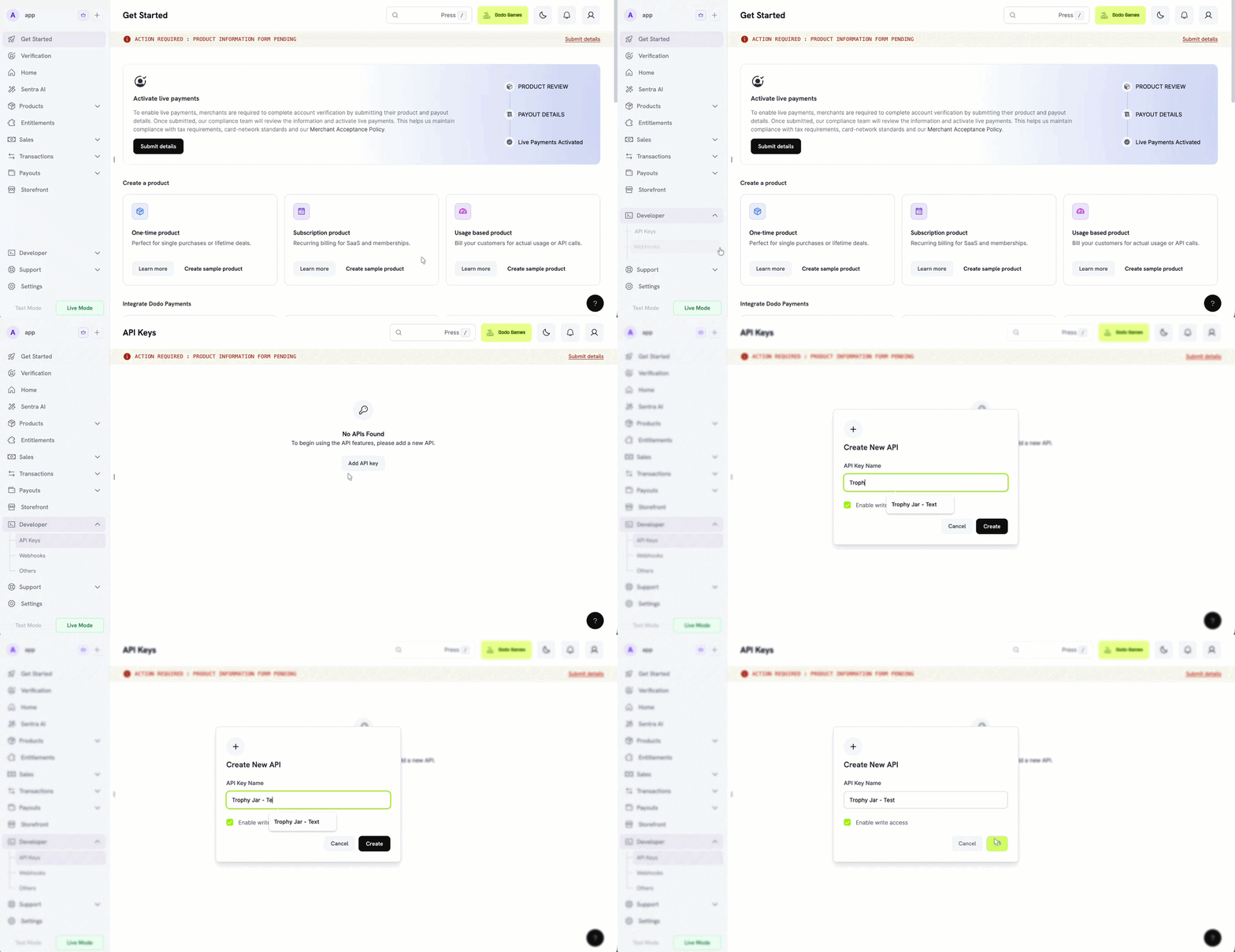
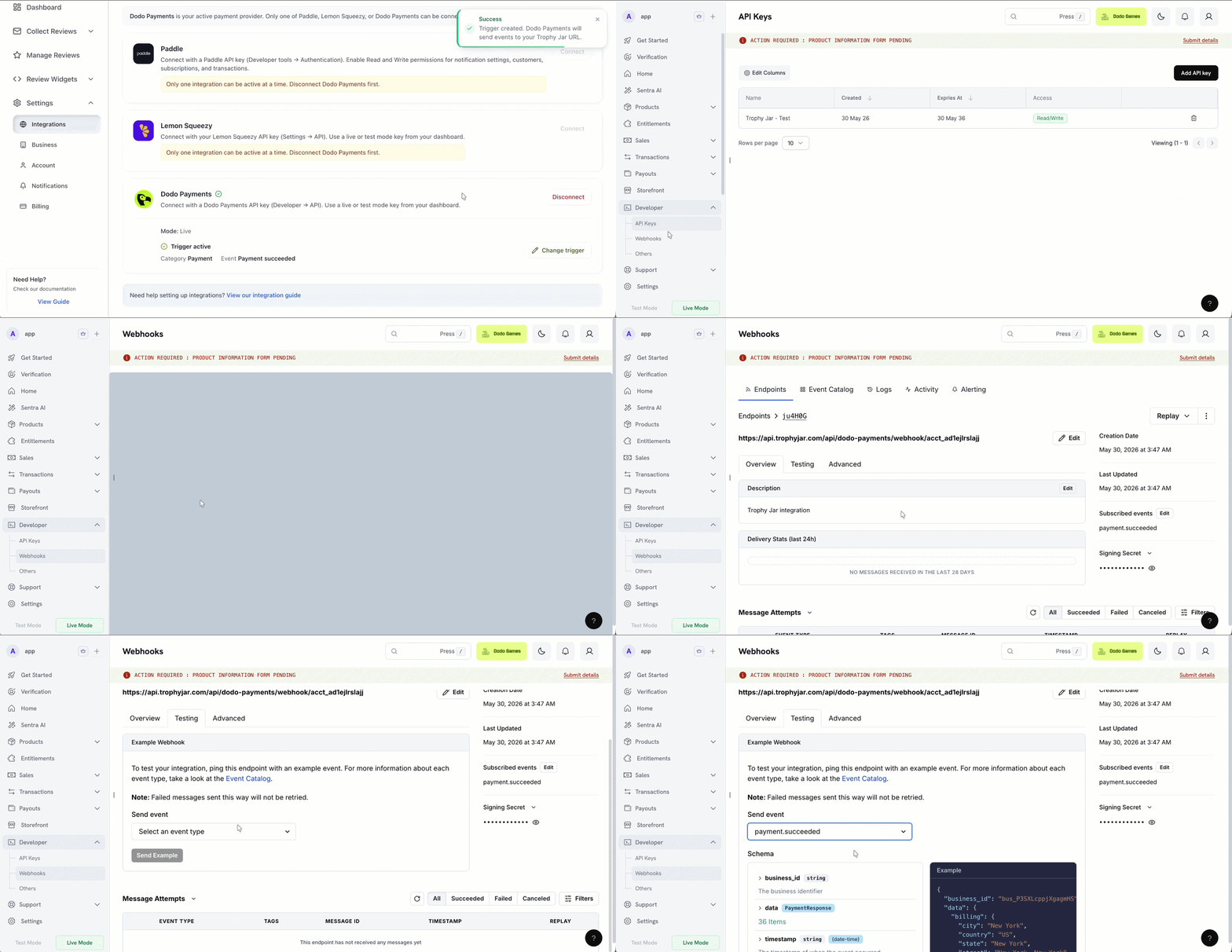
Head to your Dodo Payments dashboard and go to Developer → API. Generate a new API key there. If you want Trophy Jar to create webhooks on your behalf down the line, enable write access. Read-only works fine just to get connected.
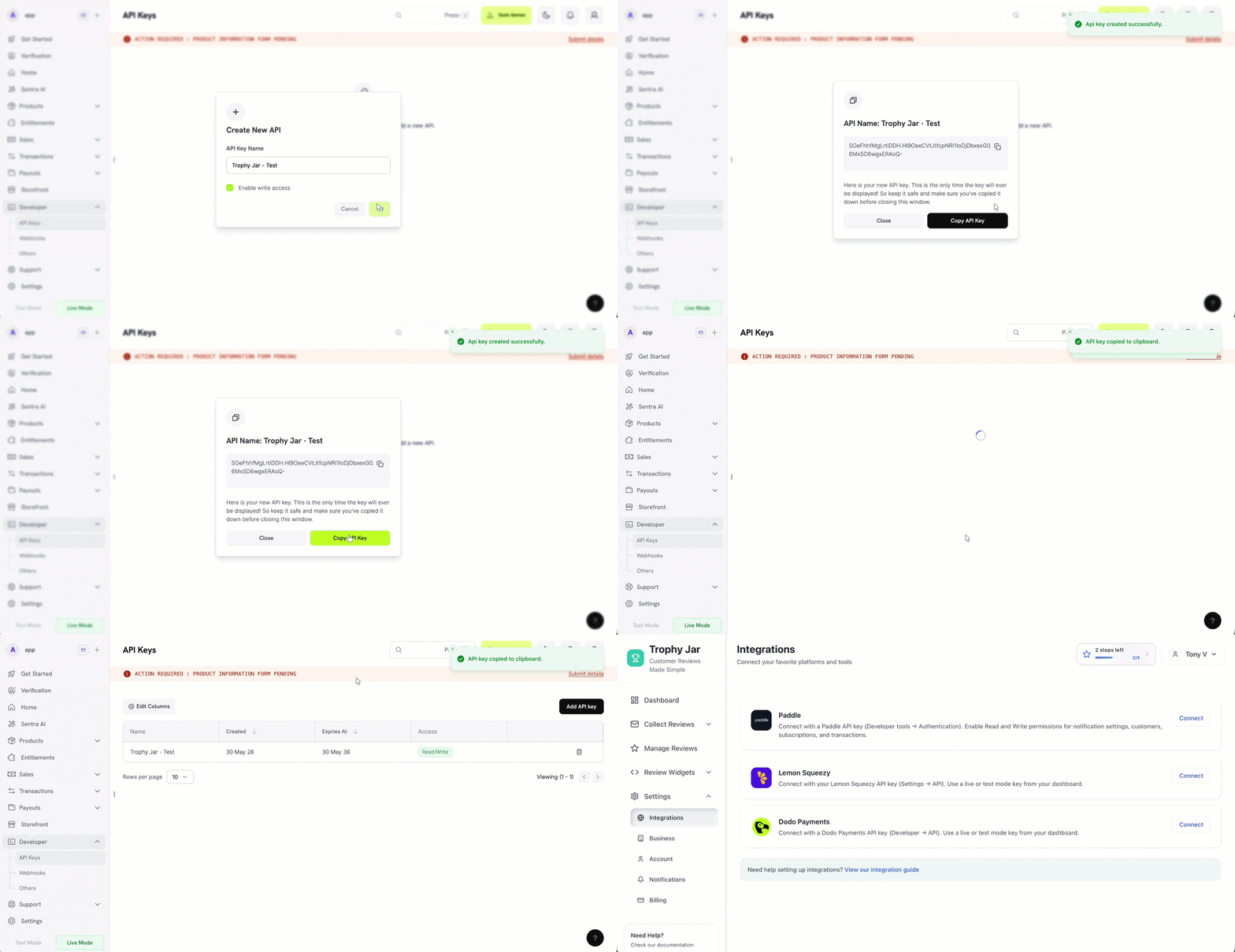
Copy the key and paste it into Trophy Jar. It verifies the key directly with Dodo Payments before saving anything, so you’ll know immediately if something’s off.
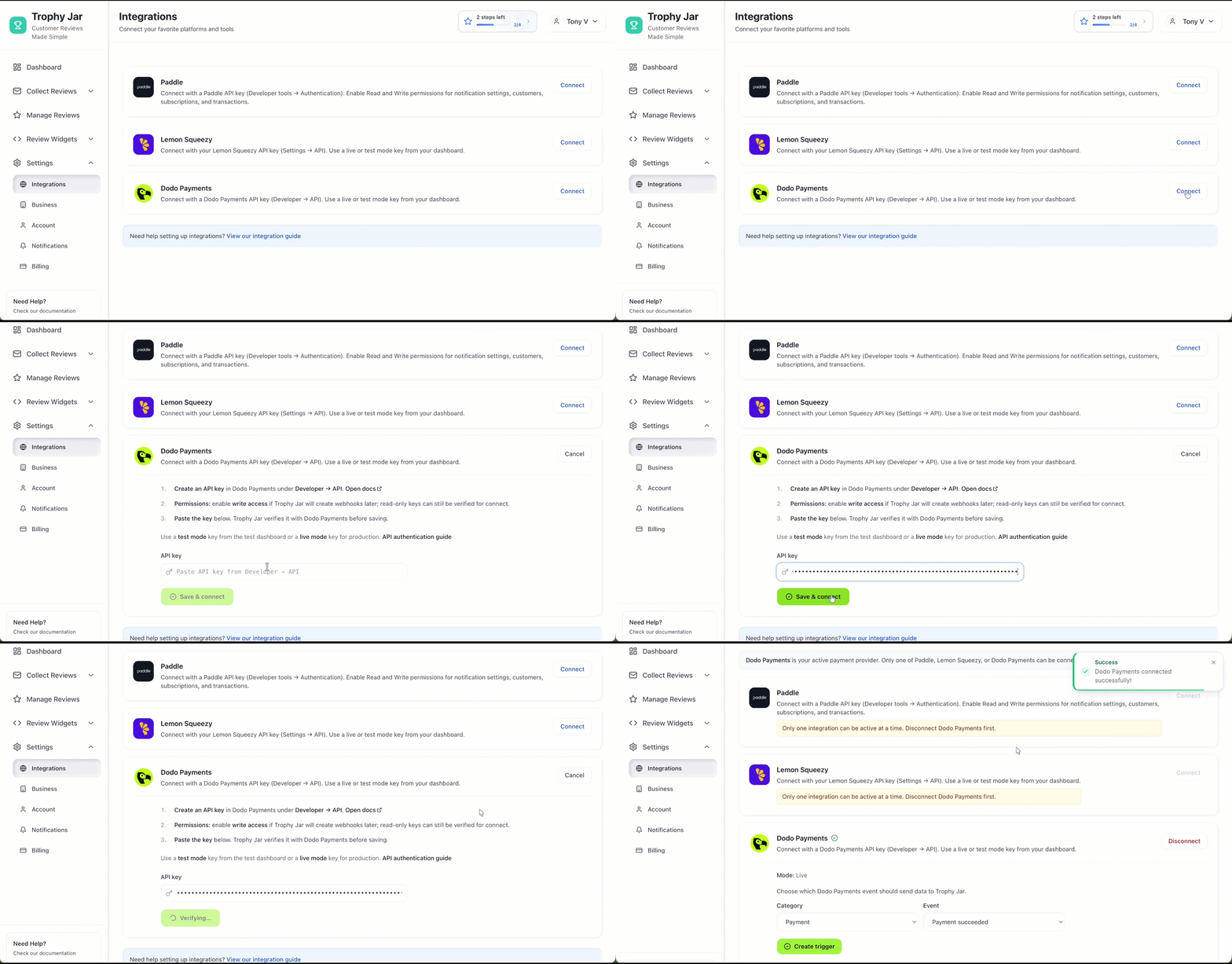
One thing to sort out before you start: are you connecting to test mode or live? Use a key from the test dashboard while you’re setting things up, then swap in a live mode key when you’re ready to go live. Mixing them up is an easy mistake and worth double-checking.
Configuring your triggers
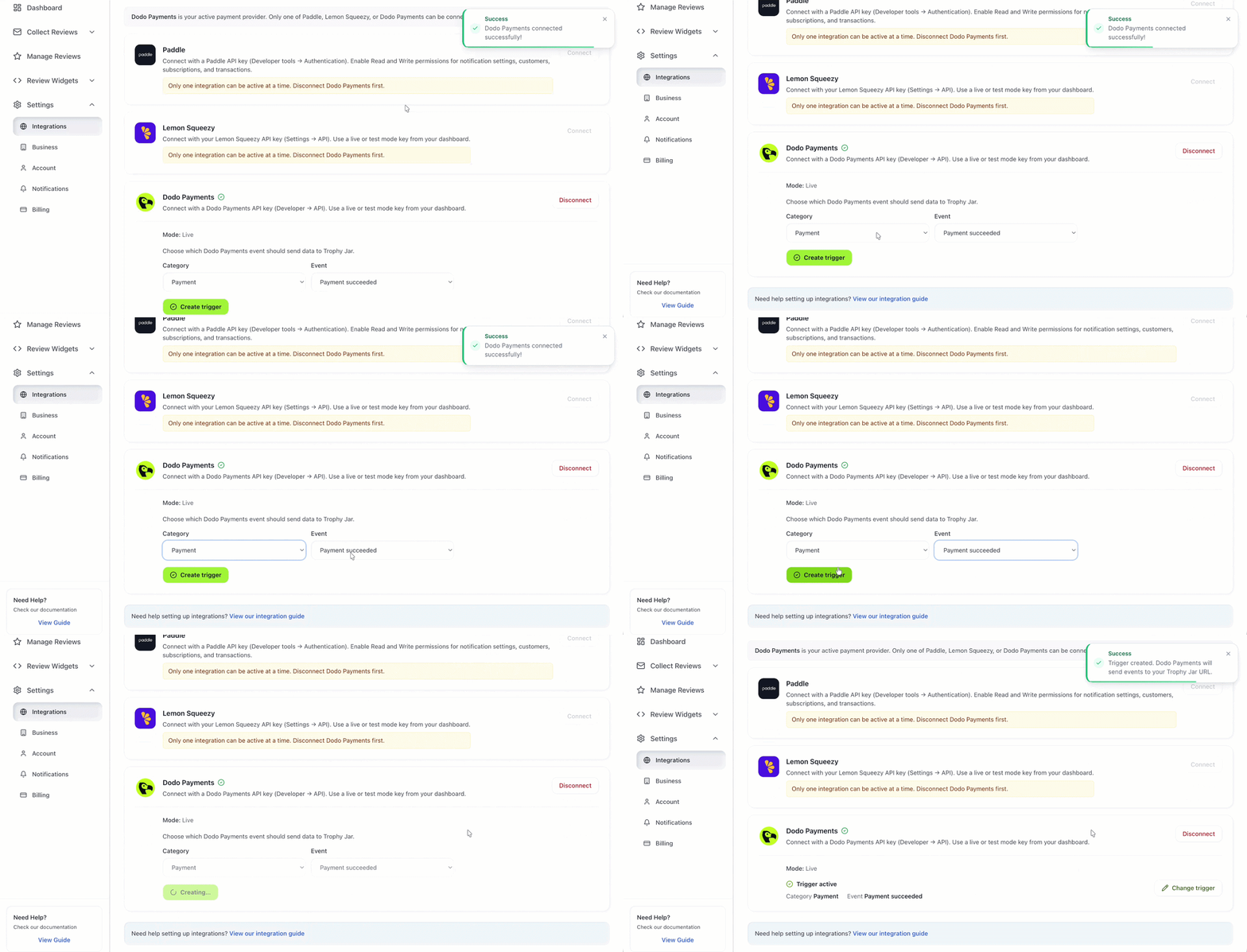
Once connected, you’ll set which Dodo Payments events should kick off a review request. A completed payment is the obvious one, but depending on your setup, you might also trigger on renewals, upgrades, or other billing milestones.
Be deliberate here. The more specific the trigger, the more relevant the email feels to the customer receiving it. Generic blasts at the wrong moment don’t convert. A well-timed message right after a successful payment does.
Day-to-day use
After setup, nothing changes in how you use Dodo Payments. Payments come in, events fire, Trophy Jar sends the emails. No dashboards to check, no manual sends, no reminders to set.
Disconnecting
If you need to cut the connection, go into Trophy Jar’s integration settings and remove the API key. That stops Trophy Jar from receiving new events immediately.
Your existing review data stays in Trophy Jar, nothing gets wiped. It just won’t pull in anything new from Dodo Payments going forward.
While you are here, how do your reviews compare?
Type your business name and see where you rank against your competitors. Free, no signup.
Trophy Jar asks every customer for a review automatically, from $9 a month.Start now
Before you go live
Run a test transaction first. Use your test mode API key, push a payment through, and confirm the review request email actually lands correctly. It takes a few minutes and saves you from finding out something’s misconfigured after real customers have gone through the flow.
Also worth checking: make sure you’re connecting the right Dodo Payments account if you run multiple. There’s no prompt warning you if you grab the wrong one.
Get those two things right, and the integration mostly disappears into the background, which is exactly what it’s supposed to do.
Keep going: see get more reviews on autopilot.