How to Connect Clio to Trophy Jar
Law firms run on reputation. Referrals, reviews, and word of mouth are how most practices grow. But asking clients for reviews after a matter closes is one of those things that consistently gets skipped. The case wraps up, everyone moves on, and nobody sends the follow-up.
Trophy Jar connects to Clio and handles that automatically.
What it does
When a matter reaches a status you’ve configured in Clio, Trophy Jar picks up that event and sends a review request to the client. You set the trigger once. After that, it runs on its own with no reminders, no manual emails, no chasing anyone down.
While you are here, how do your reviews compare?
Type your business name and see where you rank against your competitors. Free, no signup.
Trophy Jar asks every customer for a review automatically, from $9 a month.Start now
Setting it up
Step 1: Create a Clio app
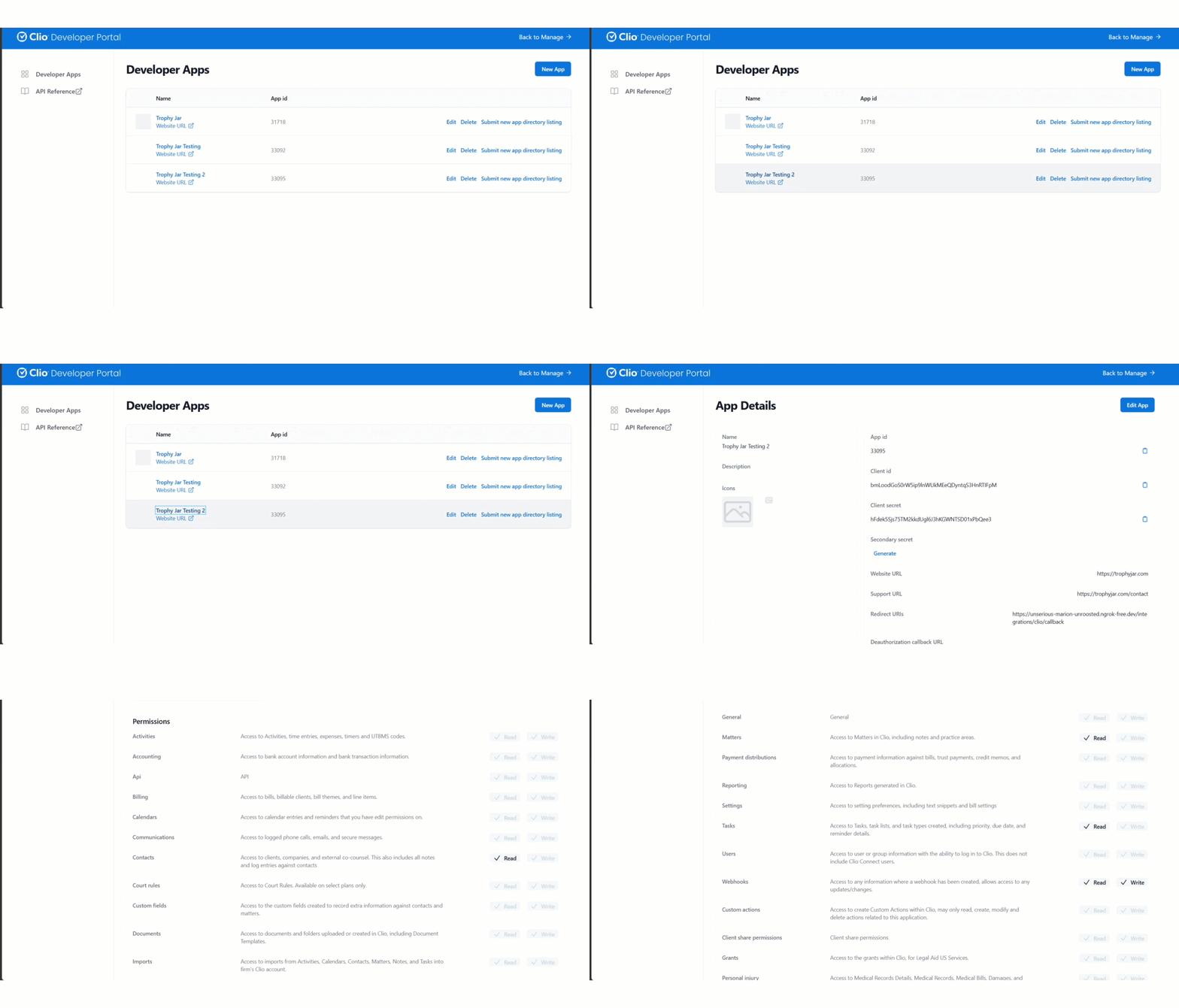
Go to developers.clio.com/apps/new and create a new application. This registers Trophy Jar as an authorized connection in your Clio account.
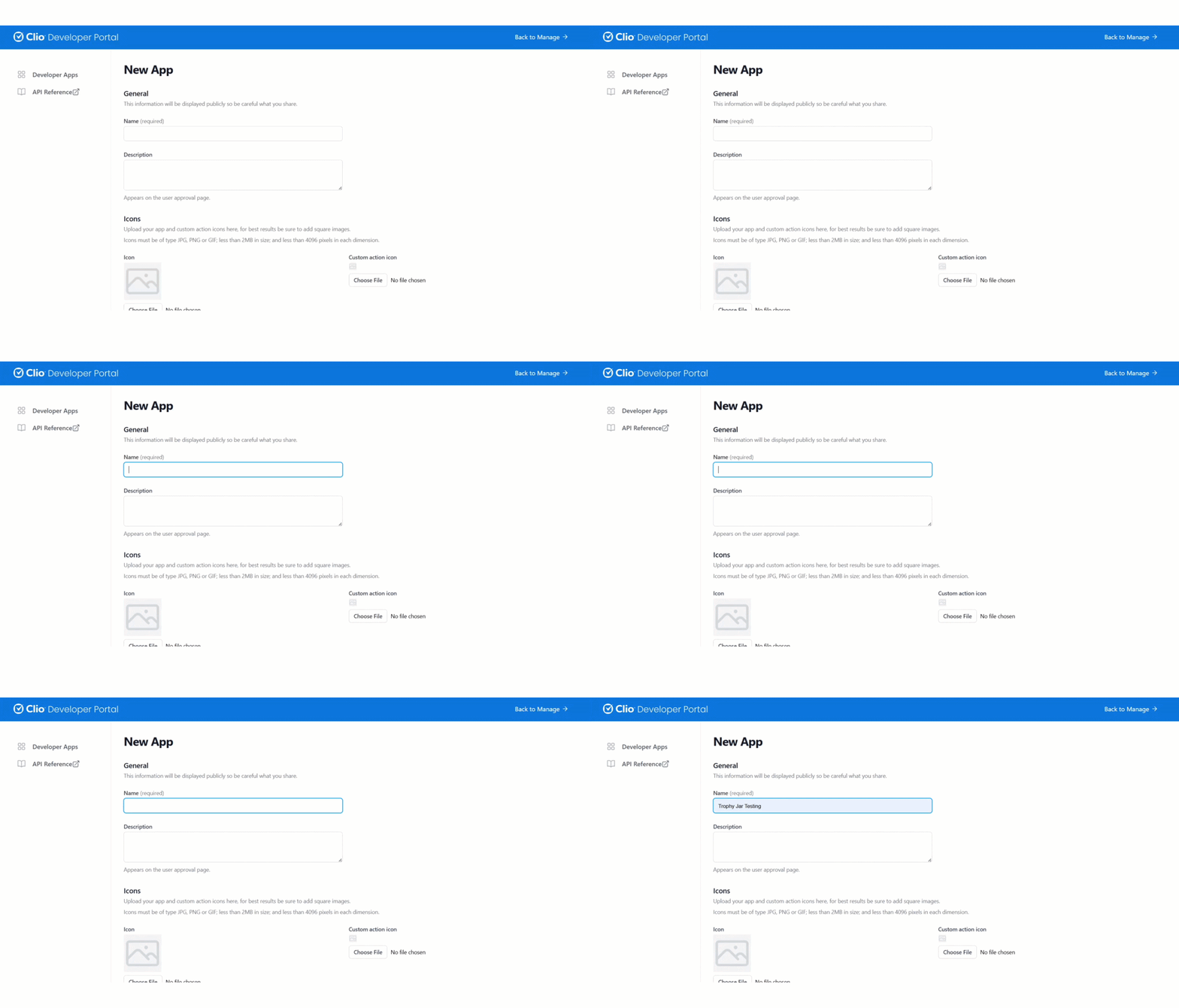
Step 2: Add the redirect URI
Under Redirect URIs, paste in exactly:
https://unserious-marion-unroosted.ngrok-free.dev/integrations/clio/callback
It needs to match character for character. Don’t modify it.
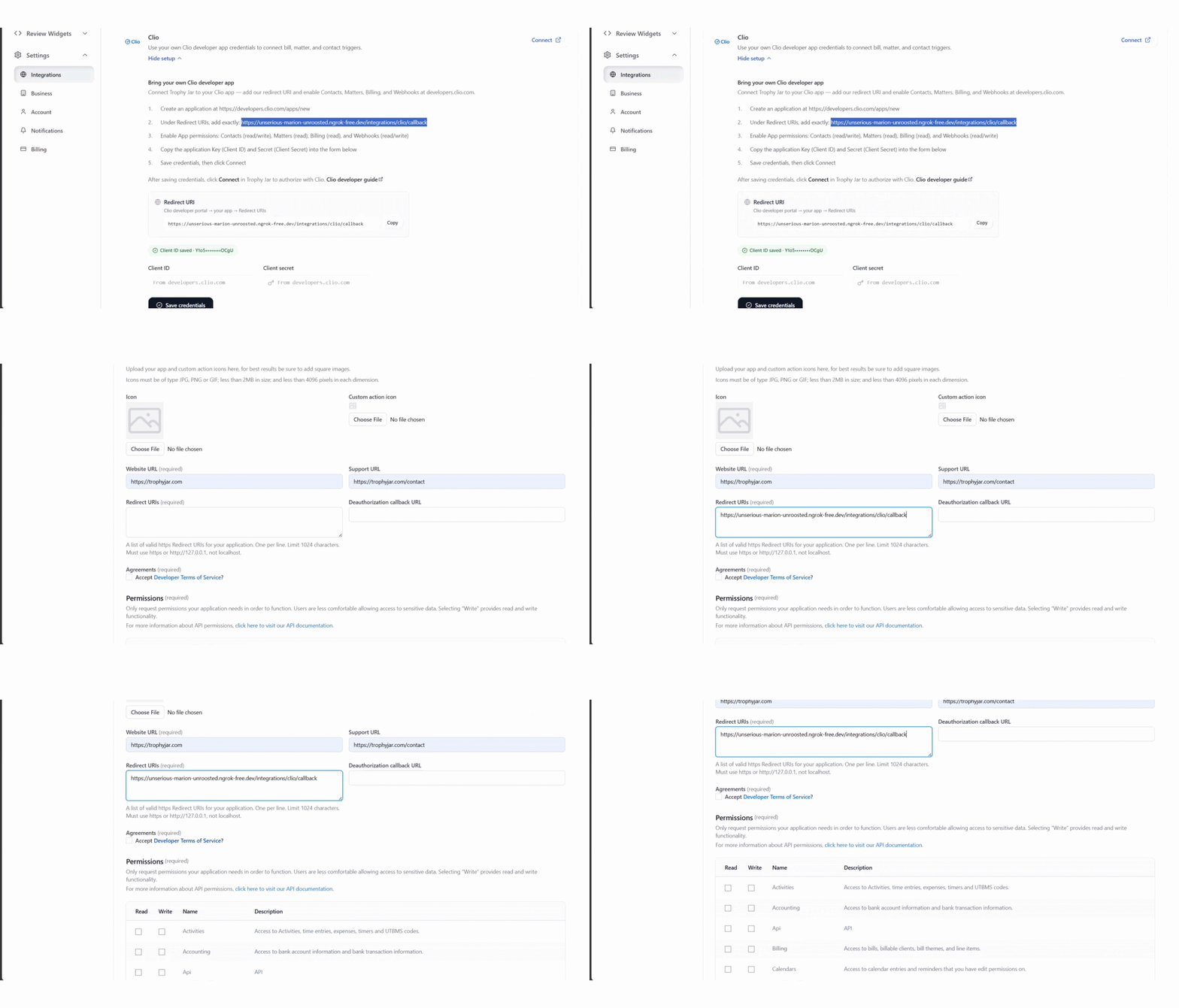
Step 3: Set app permissions
Enable the following permissions for your app:
- Contacts: read/write
- Matters: read
- Billing: read
- Webhooks: read/write
These are the minimum permissions Trophy Jar needs to detect matter events and send review requests.

Step 4: Copy your credentials into Trophy Jar
Back in Clio, copy your Application Key (Client ID) and Secret (Client Secret). Paste both into the corresponding fields on the Trophy Jar integrations page.
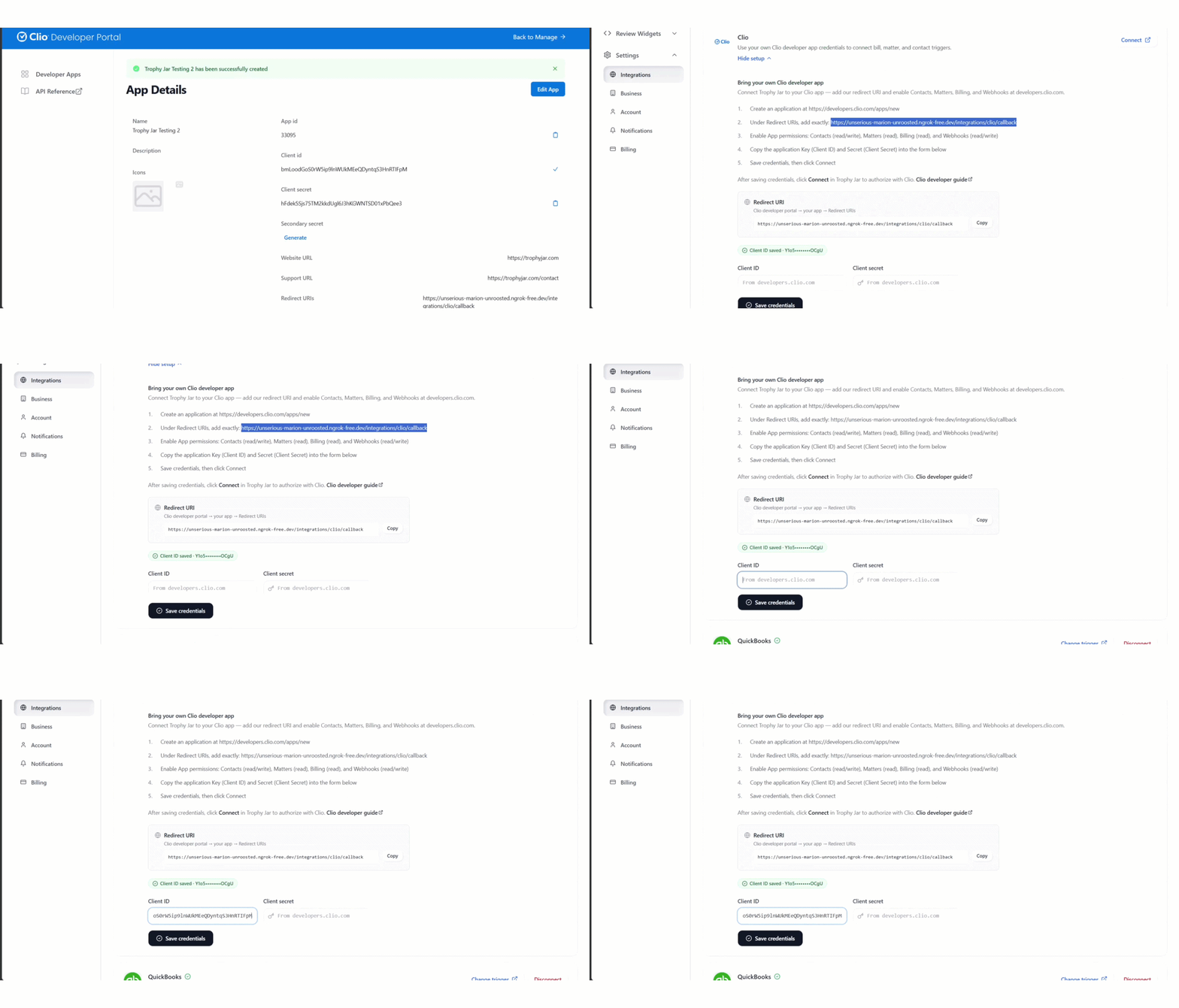
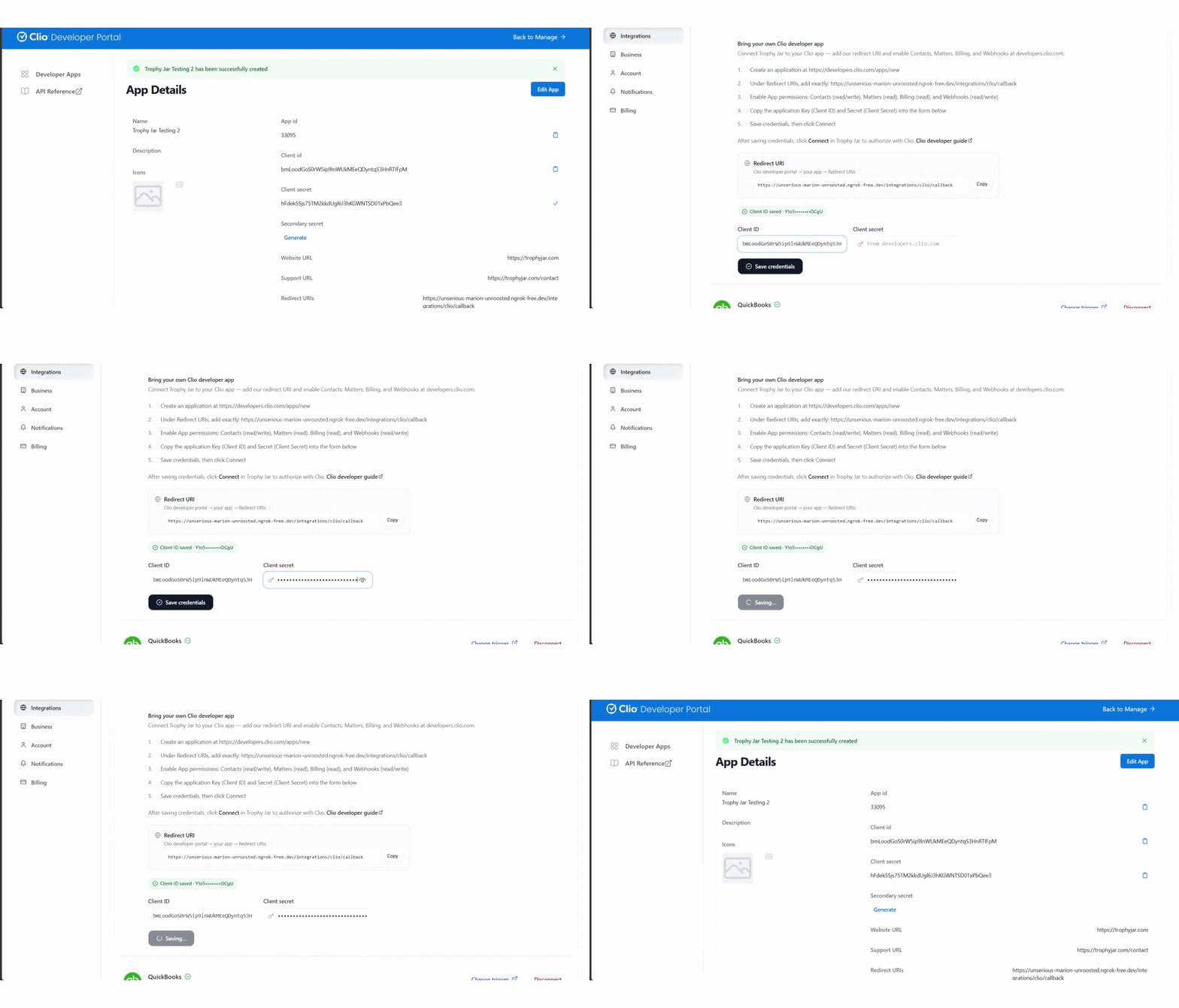
Step 5: Authorize the connection
Click Save Credentials in Trophy Jar, then hit Connect. Clio will ask you to authorize access. Approve it, and the integration is live.
After setup
Nothing changes in how you use Clio. Work your matters as normal. When one hits your configured trigger status, Trophy Jar sends the review request automatically. Responses come into your Trophy Jar dashboard and can be published to your site via widgets, such as carousels, featured testimonials, badges, and Wall of Love.
The whole thing runs in the background.
Before you go live
Close a test matter first and confirm the review request email lands correctly. Takes two minutes and saves a lot of cleanup if something’s misconfigured before real clients go through the flow.
Keep going: see get more reviews on autopilot.